Subscription Charging SDK
Recurring billing: subscribe, renew, and unsubscribe users.
Code, endpoints and integration detail.
The Subscription Charging SDK bills a Grameenphone mobile account on a recurring basis. You send the subscriber into the flow once, they consent with an OTP, and Digimart maintains the billing relationship from then on.
This is not a REST API
There is nothing to POST. You build a signed URL inside your own application and open it in a browser or web view. Digimart owns every screen from that point until it returns the subscriber to your redirectUrl. The only server-to-server traffic is the async notification Digimart sends you afterwards.
Before you start
- An approved application, with its API Key and API Secret to hand. Both are shown on the application in the Digimart portal once an administrator approves it.
- A Subscription Notification URL configured on that application, so you can receive the async result.
- A server clock synced to Asia/Dhaka (UTC+06:00). The request time is validated at our end, and a drifting clock is a common cause of a rejected request.
Two variants of the same flow
Both variants use the same endpoint, the same parameters and the same signature. The only difference is whether the subscriber types their own mobile number:
- Without header enrichment is the default. Digimart shows a number-entry screen.
- With header enrichment applies when an administrator has enabled Allow Capturing Mobile Number via Header Enrichment on your application. Grameenphone supplies the number from the mobile network, and the entry screen is replaced by a confirmation screen.
In either variant, passing msisdn in the URL skips the first screen and takes the subscriber straight to the OTP step.
How to build the URL
Collect your credentials
Copy the API Key and API Secret from your approved application in the portal. The API Secret is never put in the URL: it only ever contributes to the signature hash.Generate a unique 15-digit requestId
Any unique 15-digit value of your choosing. You need it to match up the redirect and the notification later, and a value you have already used is rejected withE1005.Take the current time in UTC
For example2024-07-08T10:33:54.929Z, generated in the Asia/Dhaka timezone.Build and hash the signing string
JoinapiKey,requestTimeandapiSecretwith pipes and no spaces, then hash with SHA-512 and send the hex digest assignature.Assemble the query string and open it
Append every parameter, then open the URL in a web view. Everything after this point is Digimart's.
Building the signature
import { createHash } from "node:crypto";

const apiKey = process.env.DIGIMART_API_KEY;
const apiSecret = process.env.DIGIMART_API_SECRET;

// 15 digits, unique per request. Never reuse one.
const requestId = String(Date.now()).padEnd(15, "0").slice(0, 15);
const requestTime = new Date().toISOString(); // 2024-07-08T10:33:54.929Z

// Subscription signs three values, in this order.
const signature = createHash("sha512")
  .update(`${apiKey}|${requestTime}|${apiSecret}`)
  .digest("hex");

const url = new URL(
  "https://user.digimart.store/sdk/subscription/authorize"
);
url.search = new URLSearchParams({
  apiKey,
  requestId,
  requestTime,
  signature,
  redirectUrl: "https://www.mywebsite.com",
}).toString();

// Open this in a web view. Digimart takes it from here.
res.redirect(url.toString());
Without header enrichment
/sdk/subscription/authorizeSubscription charging, without header enrichment
The default subscription flow. You build a signed URL and open it in a web view; Digimart asks the subscriber for their mobile number, sends an OTP, takes consent and starts the recurring charge.
https://user.digimart.store/sdk/subscription/authorize
Signing string
Join these values with pipes, with no spaces, then hash the result with SHA-512 and send the hex digest as the signature.
apiKey|requestTime|apiSecretWorked example from the tutorial: myApiKey123|2024-08-08T12:00:00Z|mySecretKey456, hashed with SHA-512.
Query parameters
| Name | Type | Required | Description |
|---|---|---|---|
apiKeysigned | string | Required | Displayed on the application you created in the Digimart portal. Copy it after an administrator approves the app.32c8a59cef446de3b78090d142ddac0e |
requestId | string (15 digits) | Required | A unique 15-digit identifier of your choosing. It correlates this request with the redirect response and the async notification. A requestId that has already been used cannot be reused for a new subscription.123456789012345 |
requestTimesigned | string (UTC) | Required | The current time in UTC format. Generate it in the Asia/Dhaka timezone (UTC+06:00): if you use a third-party library or a different zone, the value will not validate at our end.2024-07-08T10:33:54.929Z |
signature | string (SHA-512 hex) | Required | SHA-512 hash of the pipe-joined string apiKey|requestTime|apiSecret. The API Secret is never sent in the URL, only its contribution to this hash. |
redirectUrl | string (URL) | Required | The page subscribers are returned to after a successful or failed transaction, reached when they press 'Back to Application'.https://www.mywebsite.com |
msisdn | string | Optional | The subscriber's mobile number. Optional. If you supply it, the number-entry screen is skipped and the flow goes straight to the OTP screen.01748277168 |
The URL you build
https://user.digimart.store/sdk/subscription/authorize
  ?apiKey=32c8a59cef446de3b78090d142ddac0e
  &requestId=123456789012345
  &requestTime=2024-07-08T10:33:54.929Z
  &signature=0185e77e9cd469e0da58c6270eb838dc96af6e5c84f057405f3a62ea6979ac12491c47c69e0a42cab521b77b3b6409188304206c6308efa89c1971d0862ceda2
  &redirectUrl=https://www.mywebsite.com
What the subscriber sees
Digimart owns every screen below. You do not build any of them.
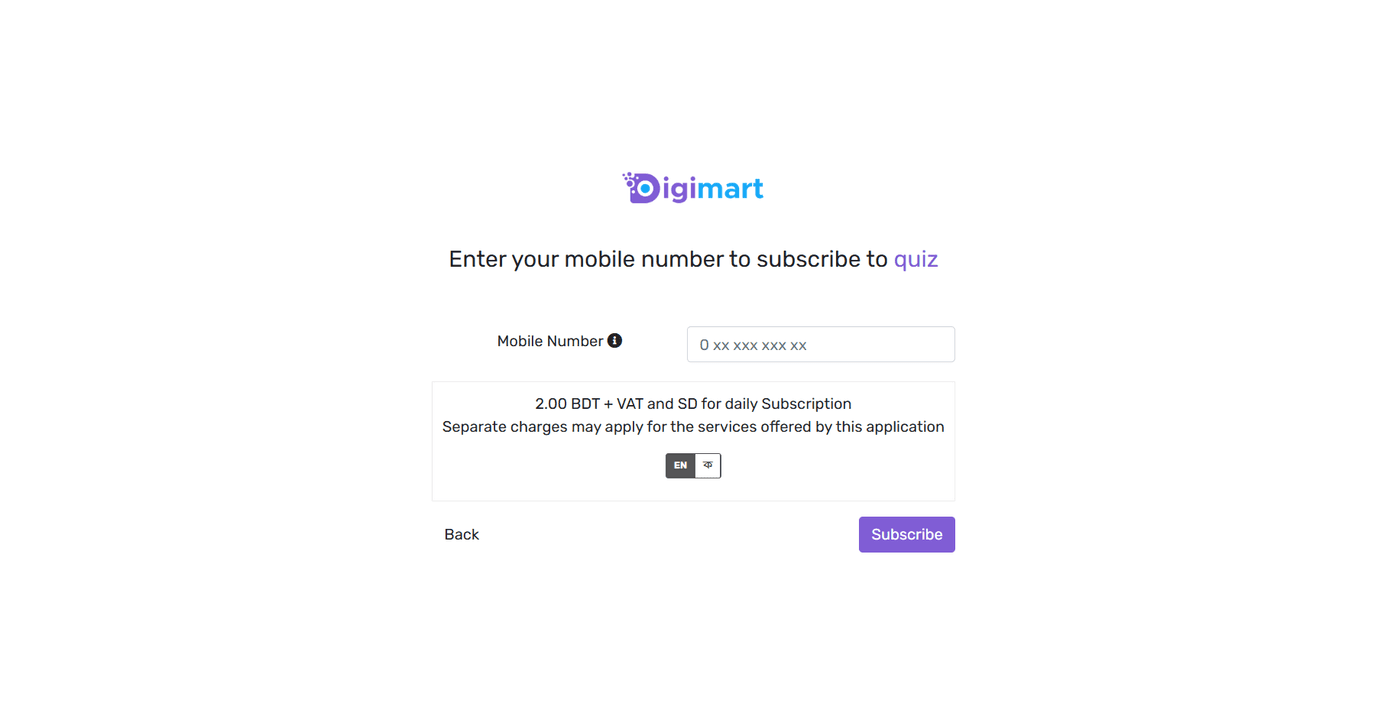
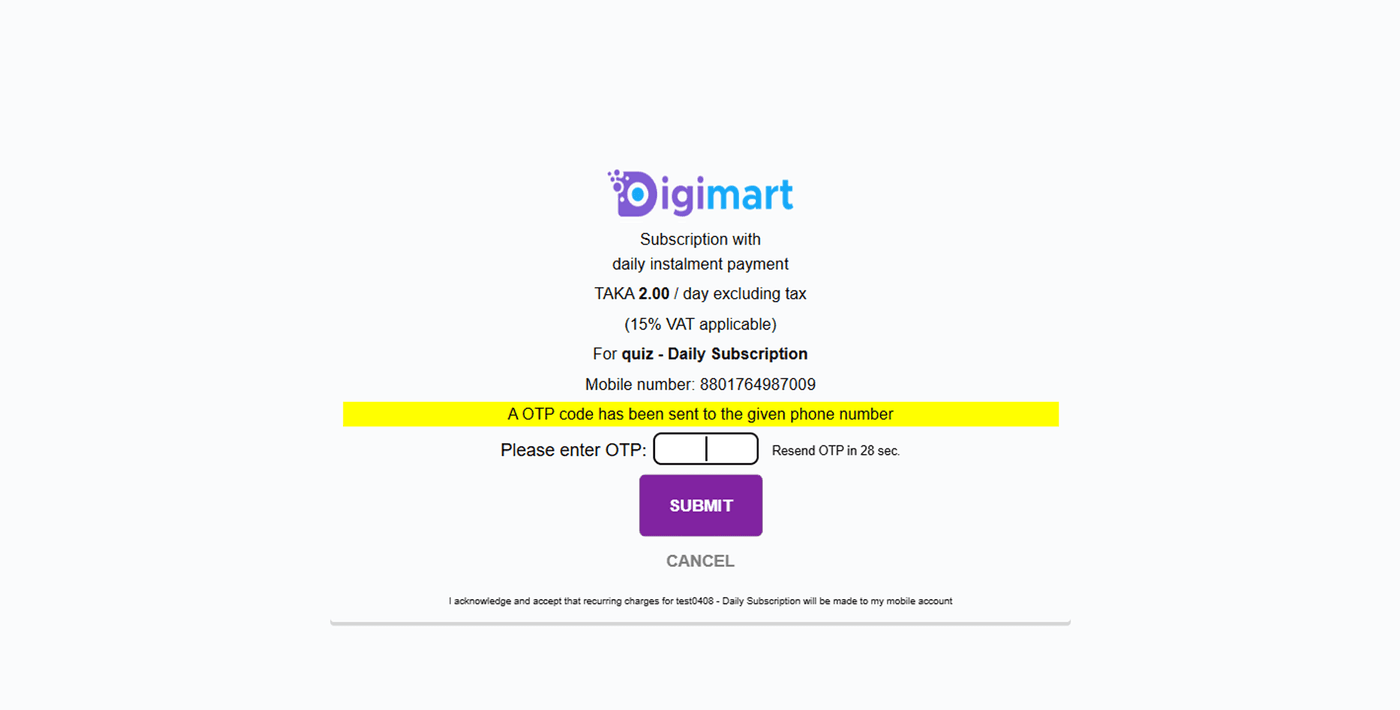
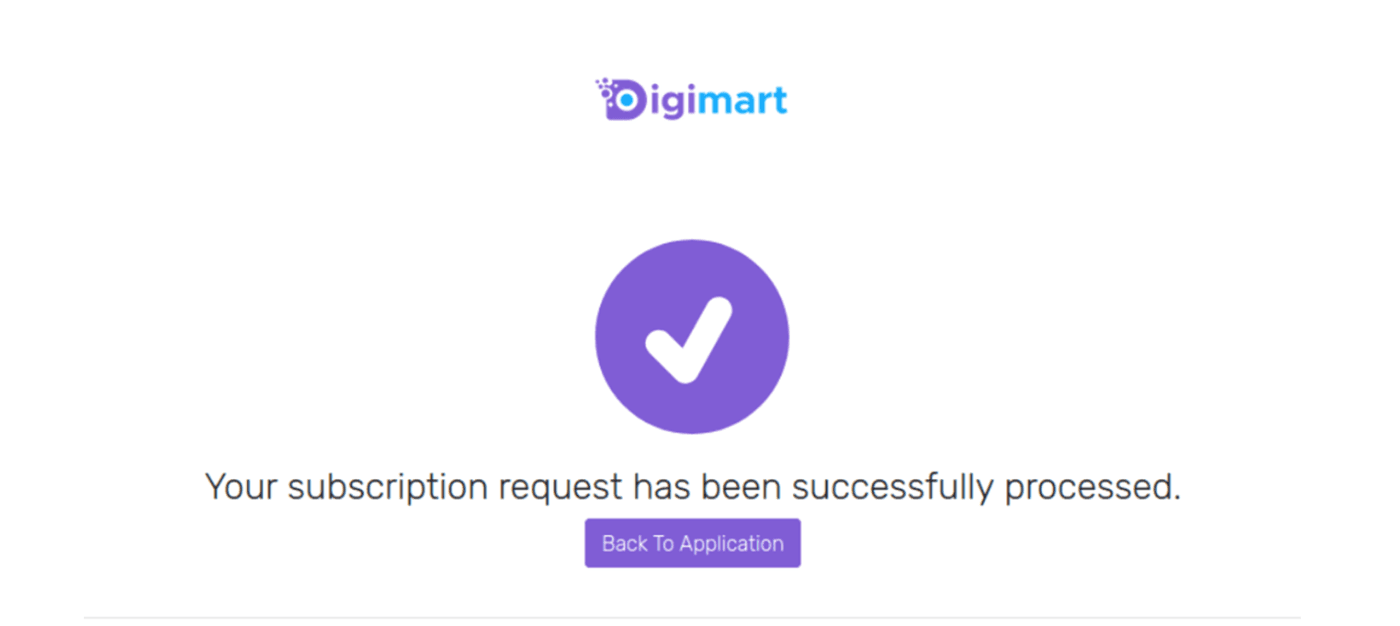
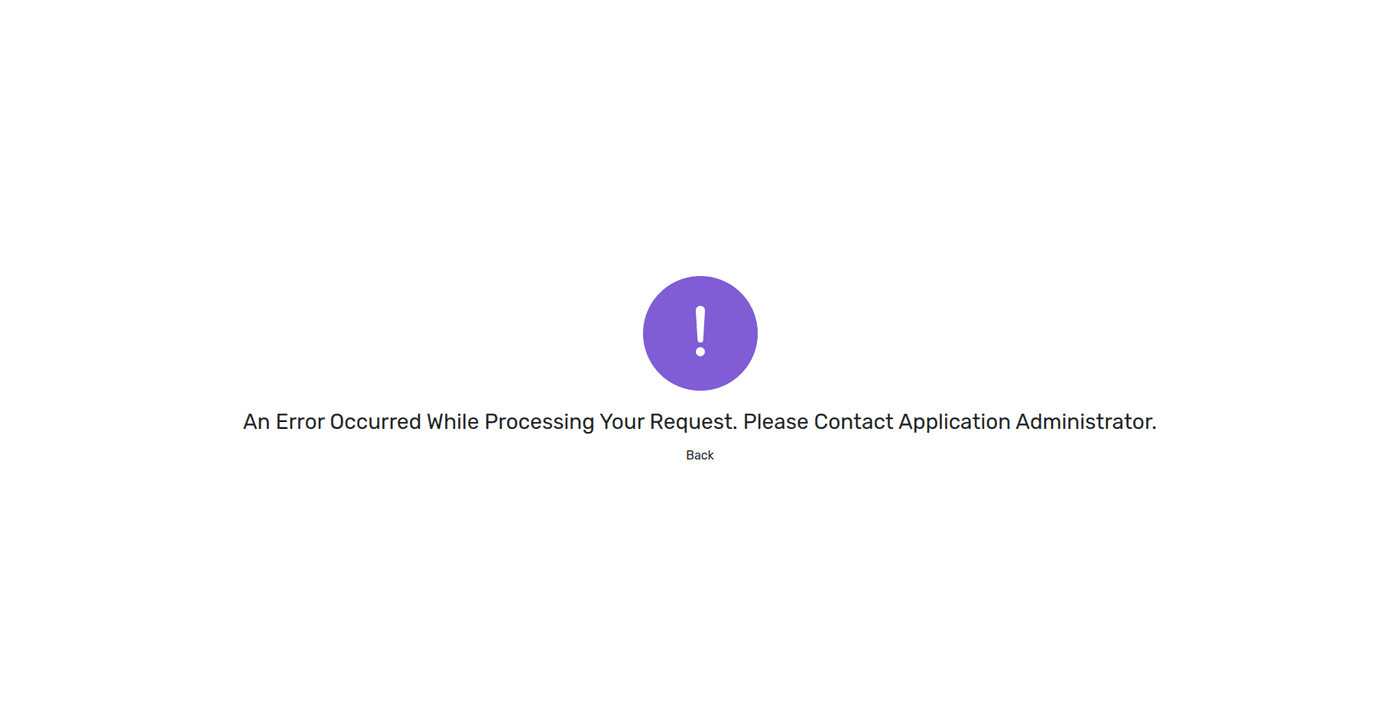
What comes back on the redirect
When the subscriber presses 'Back to Application' they are sent to your redirectUrl with these query parameters appended. This is a browser redirect, not a JSON body.
| Name | Description |
|---|---|
subscriptionStatus | Status code for the subscription, either the success code or an error code.S1000 |
subscriberId | Masked number corresponding to the subscriber. Store the mapping between this and your requestId: it is how you identify the subscriber in every later operation. |
requestId | The initial request ID you allocated when the Charging SDK transaction was triggered.123456789012347 |
https://user.digimart.store
  ?subscriptionStatus=S1000
  &subscriberId=OGI2OGY1Njk2NjhlNjAyMTM1OWIwMzlhYTIxOGIyMDBlYTZlNmEyYzY5ZTM5MmYzMjRkMDg1MmMzYmIzYzE5YTpncmE
  &requestId=123456789012347
The async notification
Separately from the redirect, Digimart POSTs a JSON body to the endpoint you configured under 'Subscription Notification URL' on your application. Treat this, not the redirect, as the record of the charge.
{
  "timeStamp": "20240801044105",
  "subscriberId": "ZmQ5YmRmMDA5NzdlZTzM5NjJjNjRkNWNiMjkzOWYxMzk4MzI3ZjYyM2UwMmJmYzY3YzpncmFtZWVucGhvbmU=",
  "subscriberRequestId": "123456789012100",
  "123456789012100": "APP_000186",
  "version": "2.0",
  "frequency": "daily",
  "status": "REGISTERED"
}
With header enrichment
Everything above still applies. The subscriber simply never types their number, which removes the largest drop-off point in the flow.
/sdk/subscription/authorizeSubscription charging, with header enrichment
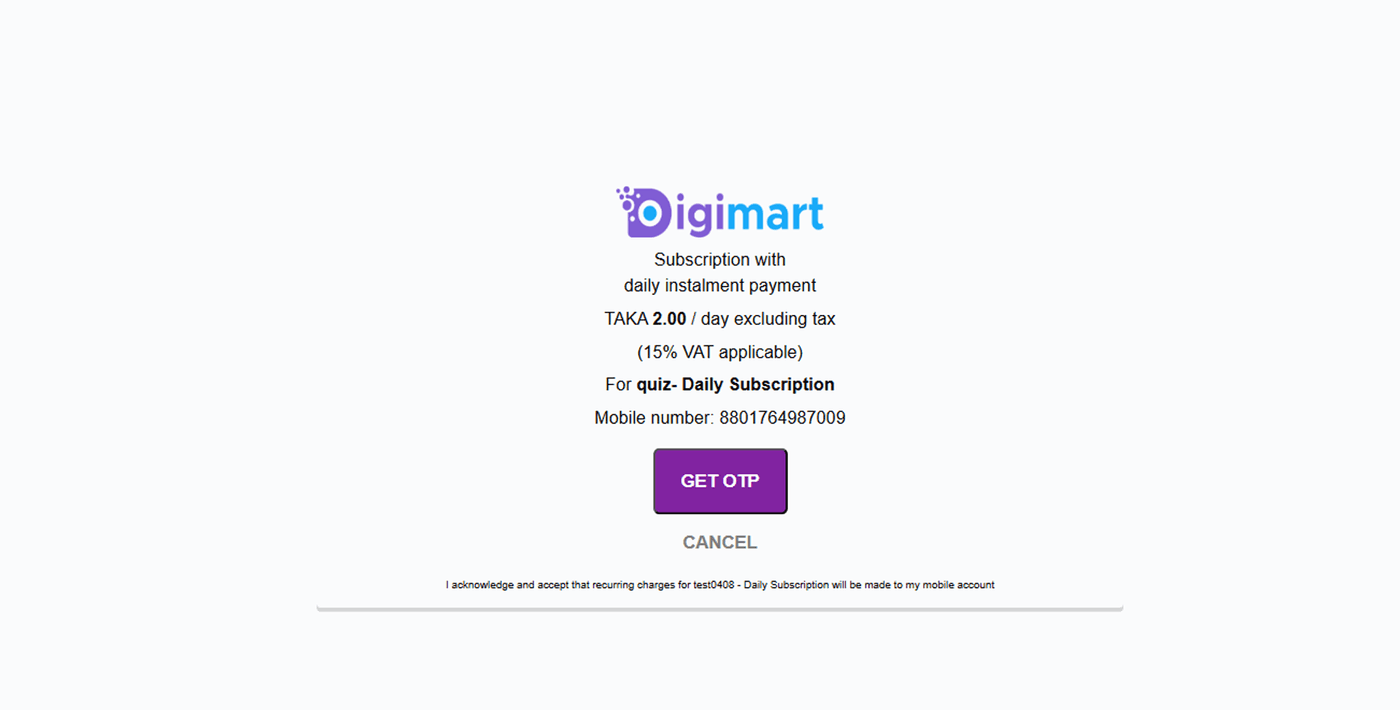
The same endpoint and the same signature, with one difference: because an administrator has enabled 'Allow Capturing Mobile Number via Header Enrichment' on your application, Grameenphone supplies the subscriber's number automatically and the number-entry screen is replaced by a confirmation screen.
https://user.digimart.store/sdk/subscription/authorize
Signing string
Join these values with pipes, with no spaces, then hash the result with SHA-512 and send the hex digest as the signature.
apiKey|requestTime|apiSecretIdentical to the flow without header enrichment. The amount is listed as a parameter on this page but is not part of the signing string.
Query parameters
| Name | Type | Required | Description |
|---|---|---|---|
apiKeysigned | string | Required | Displayed on the application you created in the Digimart portal. Copy it after an administrator approves the app.32c8a59cef446de3b78090d142ddac0e |
requestId | string (15 digits) | Required | A unique 15-digit identifier of your choosing. It correlates this request with the redirect response and the async notification. A requestId that has already been used cannot be reused for a new subscription.123456789012345 |
requestTimesigned | string (UTC) | Required | The current time in UTC format. Generate it in the Asia/Dhaka timezone (UTC+06:00): if you use a third-party library or a different zone, the value will not validate at our end.2024-07-08T10:33:54.929Z |
signature | string (SHA-512 hex) | Required | SHA-512 hash of the pipe-joined string apiKey|requestTime|apiSecret. The API Secret is never sent in the URL, only its contribution to this hash. |
redirectUrl | string (URL) | Required | The page subscribers are returned to after a successful or failed transaction, reached when they press 'Back to Application'.https://www.mywebsite.com |
msisdn | string | Optional | Optional, and largely redundant here. Whether or not you send it, the MSISDN is captured automatically through header enrichment.01748277168 |
amount | number | Required | The amount to be charged.10 |
The URL you build
https://user.digimart.store/sdk/subscription/authorize
  ?apiKey=32c8a59cef446de3b78090d142ddac0e
  &requestId=123456789012345
  &requestTime=2024-07-08T10:33:54.929Z
  &signature=0185e77e9cd469e0da58c6270eb838dc96af6e5c84f057405f3a62ea6979ac12491c47c69e0a42cab521b77b3b6409188304206c6308efa89c1971d0862ceda2
  &redirectUrl=https://www.mywebsite.com
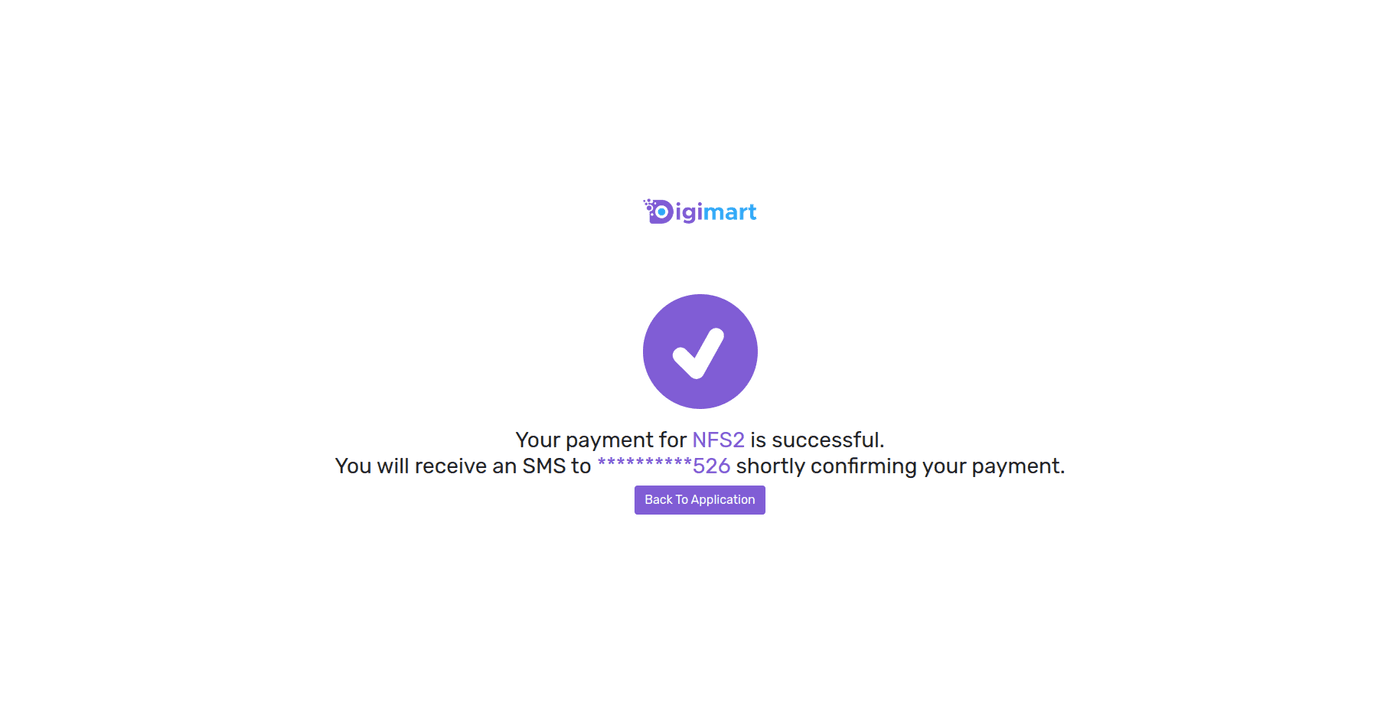
What the subscriber sees
Digimart owns every screen below. You do not build any of them.
What comes back on the redirect
When the subscriber presses 'Back to Application' they are sent to your redirectUrl with these query parameters appended. This is a browser redirect, not a JSON body.
| Name | Description |
|---|---|
subscriptionStatus | Status code for the subscription, either the success code or an error code.S1000 |
subscriberId | Masked number corresponding to the subscriber, for example +1234*****901. |
requestId | The initial request ID you allocated when the Charging SDK transaction was triggered.123456789012346 |
http://user.digimart.store
  ?subscriptionStatus=S1000
  &subscriberId=ZjUyMTM1MjlhYmU0ZmJmY2FkYjRkYWI3NzE2ZDg0MjE0NjNjYTM5MGFhZTczOWZlZDUxMTcxN2U3YTVlZTRiNTpncmFtZWVucGhvbmU=
  &requestId=123456789012346
The async notification
Separately from the redirect, Digimart POSTs a JSON body to the endpoint you configured under 'Async charging resp URL' on your application. Treat this, not the redirect, as the record of the charge.
{
  "balanceDue": 0,
  "subscriberId": "ZjUyMTM1MjlhYmU0ZmJmY2FkYjRkYWI3NzE2ZDg0MjE0NjNjYTM5MGFhZTczOWZlZDUxMTcxN2U3YTVlZTRiNmU=",
  "statusDetail": "Request was Successfully processed, Due amount fully paid.",
  "version": "2.0",
  "timeStamp": "20240703090835",
  "totalAmount": "50.95",
  "requestId": "123456789012346",
  "currency": "BDT",
  "applicationId": "APP_000040",
  "internalTrxId": "924070309080000043",
  "paidAmount": "50.95",
  "statusCode": "S1000"
}
After the charge
You are told the outcome twice, and the two are not equivalent:
- The redirect carries
subscriptionStatus,subscriberIdandrequestIdas query parameters. It is convenient, but it travels through the subscriber's browser and may never arrive if they close the tab. - The async notification is posted server-to-server to your Subscription Notification URL. This is the authoritative record. Deliver goods on this, not on the redirect.
Store the subscriberId mapping
The subscriberId you receive is a masked number, not the real MSISDN. Save the mapping between it and your requestId when the redirect arrives. Every later operation and every notification identifies the subscriber by that masked value, so without the mapping you cannot tell who a notification is about.
Managing subscribers afterwards
Unsubscription, subscriber lists and charging history are genuine REST APIs on a separate host. They are documented in the REST API reference.